
Retro screensavers
The 12 best retro screensavers for Mac in 2026
3D Pipes, Starfield, Mystify, Bezier, 3D Text, the 3D Maze and more – the nostalgic 90s screensavers, rebuilt natively for macOS Tahoe and Retina displays. Free.
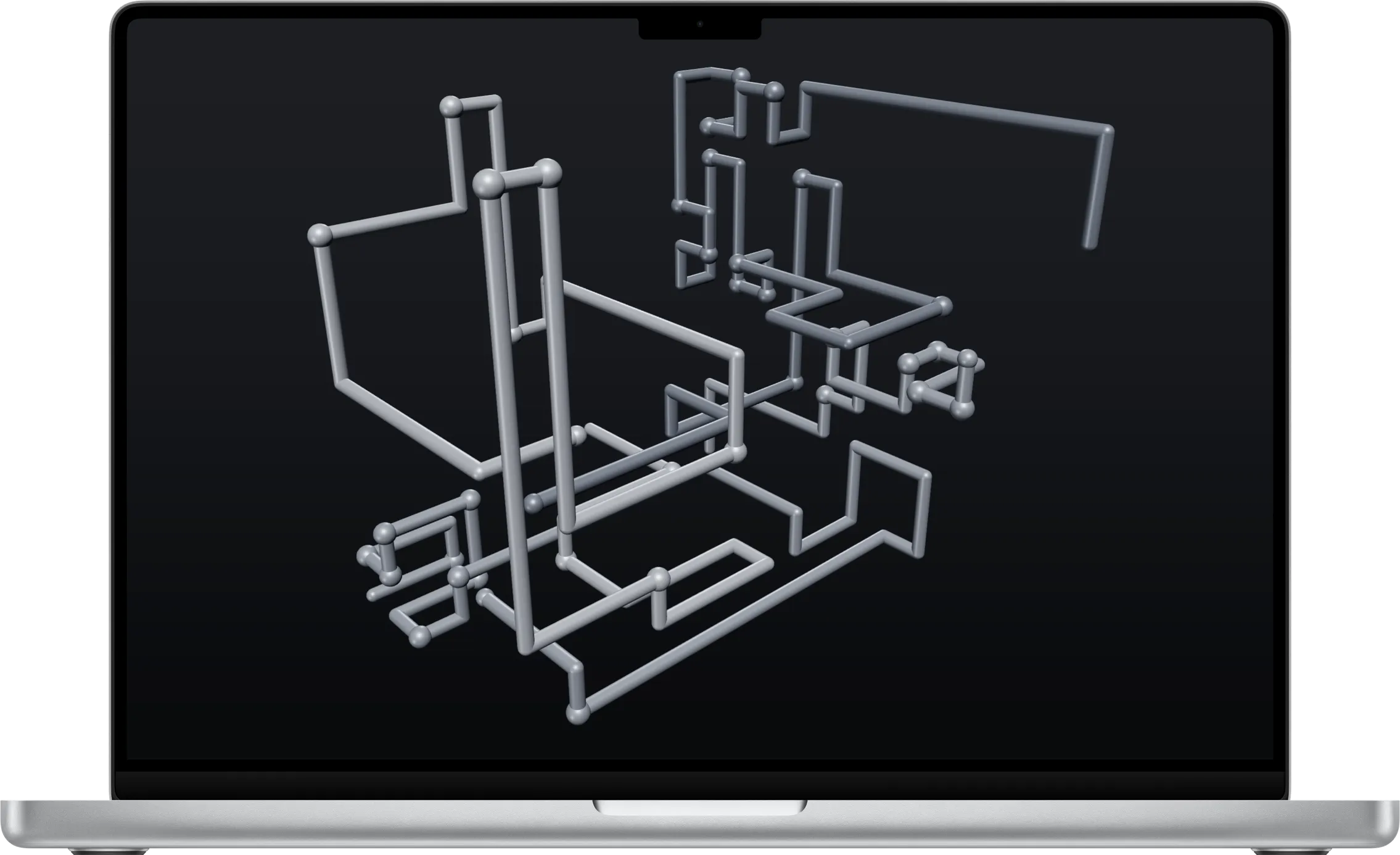
If you used a PC in the 1990s, you remember them: pipes growing across the screen of an idle office computer, a starfield rushing past, bouncing neon lines, and your company name spinning in chrome 3D letters. They were the first animations many of us ever watched on a computer – and they’re still oddly calming.
These are our favourite retro screensavers for the Mac. Each one is rebuilt from scratch in Swift and Metal, so it runs natively on macOS Tahoe, looks razor-sharp on Retina and 5K displays, and sips power. Every pick below is free in the SCRNSVRS app, and you can use any of them as a screensaver or as a live desktop wallpaper.
1. Matrix Digital Rain
Cascading glyphs in glowing green columns – the code-rain effect from the turn of the millennium has become a screensaver classic in its own right. Ours has proper trails, bright leading glyphs and characters that flicker as they fall.
2. 3D Pipes
Nothing says "office PC in the 90s" quite like 3D Pipes. Glossy pipes grow through a 3D grid, turn at random and branch until the screen fills up – then it all starts again. It was one of the first 3D screensavers most people ever saw, and it is still mesmerising.
Our version is rebuilt for Retina with proper lighting, ball joints at every bend and a choice of palettes.
3. Starfield
The flight through space is the screensaver archetype: stars streaming towards you from the centre of the screen. Starfield is the modern take – thousands of stars with real depth, and a warp setting that stretches them into streaks.
It looks especially good on large and ultra-wide displays.
4. Mystify
Bouncing outlines that trace soft, fading ribbons of light: the vector-art classic from the Windows 3.1 days is still one of the most elegant screensavers ever made. Ours draws smooth, anti-aliased polygons that morph and echo across the screen in shifting colours.
5. 3D Maze
Wander an endless brick labyrinth in first person, turning corners and chasing the glowing polyhedron around the next bend. The 3D maze was many people's first glimpse of a 3D world on a home computer, and it still feels a little bit like an adventure.
6. Corner Bounce
Will it hit the corner? A logo bouncing around the screen became an internet-wide moment of suspense, and Corner Bounce brings it to your Mac – with a SCRNSVRS badge that changes colour at every wall. Put your own text on the badge, and wait for the perfect corner hit.
7. Classic Starfield
If Starfield is the modern flight, Classic Starfield is the original: simple white pixel stars that grow as they fly towards you, exactly like the office PCs of the early 90s. No glow, no streaks – just pure nostalgia.
8. Bezier
Swirling curves that loop, bounce and leave colourful trails – another 90s favourite, rebuilt with smooth gradients for a Retina display. It is the most hypnotic of the line-art classics, and a great live wallpaper on a dark desktop.
9. 3D Text
Your own words, in chunky 3D type, spinning and tumbling across the screen: 3D Text was the screensaver everyone customised with their name or a joke. Type anything you like, and it rotates in glossy, lit 3D.
10. Morph Box
A spinning cube that blooms into a flower and folds back again – the morphing box was one of the most technically impressive screensavers of the mid-90s. Morph Box recreates the effect with smooth, colourful geometry.
11. Orbs
Glowing spheres of light that drift, gather and swirl – a softer, more ambient take on the classic particle screensavers, and one of the prettiest live wallpapers in the collection.
12. Aquarium
Virtual fish tanks were one of the most popular screensavers of the early 2000s. Aquarium is our own reef: tropical fish, swaying plants and drifting bubbles, drawn crisply for a modern display.
The verdict
If you only install one retro screensaver, make it 3D Pipes – it is the one everyone remembers. For a bit of space travel, choose Starfield or Classic Starfield; for elegant line art, Mystify and Bezier; and if you want to make it personal, put your name into 3D Text or Corner Bounce.
All twelve are free in the SCRNSVRS app, rebuilt natively for macOS Tahoe – no old code, no emulation.
Frequently asked questions
Can I get the classic Windows screensavers on a Mac?
Not the original files – they only run on Windows. SCRNSVRS rebuilds the ideas natively for macOS: 3D Pipes, Starfield, Mystify-style polygons, Bezier curves, 3D Text, a 3D maze and more, rendered in real time with Metal.
Are these retro screensavers free?
Yes. Every screensaver in this list is included in the free SCRNSVRS app for macOS Tahoe 26 and later.
Do retro screensavers slow down my Mac or drain the battery?
No. They use a fraction of a millisecond of GPU time per frame on Apple silicon, drop to 30 fps on battery or in Low Power Mode, and pause when the desktop is covered.
Can I use them as a live wallpaper?
Yes – in the SCRNSVRS app click Set as Wallpaper, and the scene plays on your desktop behind your windows.